
All the photos from your guests
in one place
Guests upload photos and videos straight from their phone, through a QR code or a link, and it all arrives in one central gallery. It works for weddings, parties, corporate events and anything else.
★★★★★ Hundreds of events have already collected all their guests' photos with PiciMe's system

Missing photos from your event?
Your photographer shot the event professionally. Your guests shot hundreds more, from angles nobody was covering. How do you get all of that into one place?
Photos scattered across phones
Every guest took photos and videos on their own phone and in their Instagram stories. How do you gather all that material from dozens or hundreds of guests - without chasing each one individually?
Hard to collect from guests
Asking every guest to send their photos is a complicated, exhausting process. Most guests forget, don't bother, or send low quality over WhatsApp, which compresses the photos.
Great content lost forever
The spontaneous moments and odd angles your guests caught are the ones the photographer could not. Without a way to collect them, they are gone.
How guest photo uploads work
From the moment a guest gets the link until all the photos are in your gallery - automatic, fast and simple. We send every guest a WhatsApp message with a unique link, and the photos are automatically collected into the central gallery.
- 1
An automatic personal link is sent
On the day of the event or the day after, the system sends every guest a WhatsApp message with a personal link to upload the photos and videos they took. In parallel you get designed QR codes to print and place around the event.
- 2
Simple upload from the phone
The guest taps the link or scans the QR code. They pick photos and videos from their camera roll or their stories, and send them. No app, no sign-up.
- 3
Automatic collection into the gallery
Every photo and video a guest sends is collected into your central gallery automatically. Nothing to sort by hand, and nothing lost along the way.
- 4
A full, complete gallery
You end up with one gallery holding everything, the photographer's photos and the guests'. Ready to view, download and share.
Want tips that get guests to actually upload? Read the full guide to collecting photos from your guests.
A designed upload page and an organized central gallery
Pick a design for the guest upload page, from clean and classic to bright and busy. Everything guests send lands in one central gallery, ready to view, download and share.
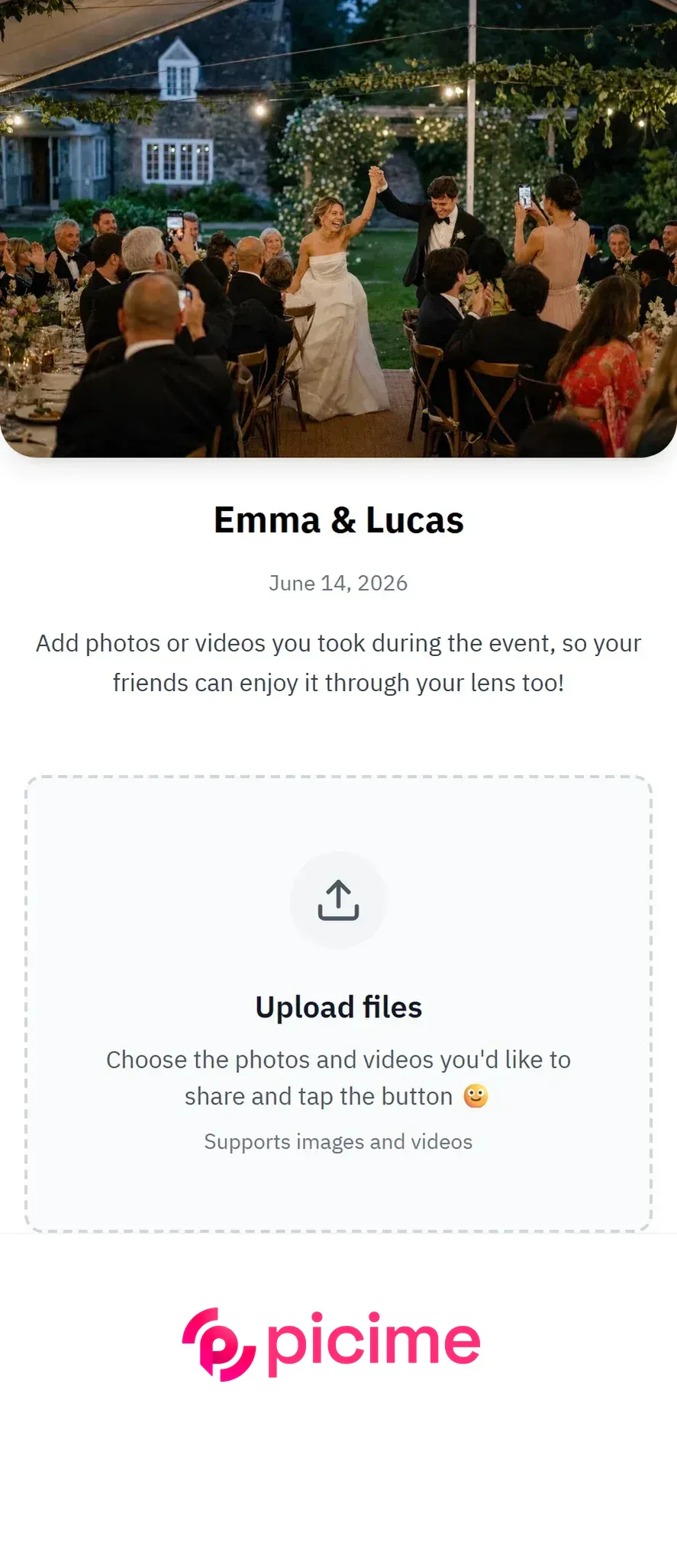
Upload page - classic design
A clean, simple interface for guest photo uploads
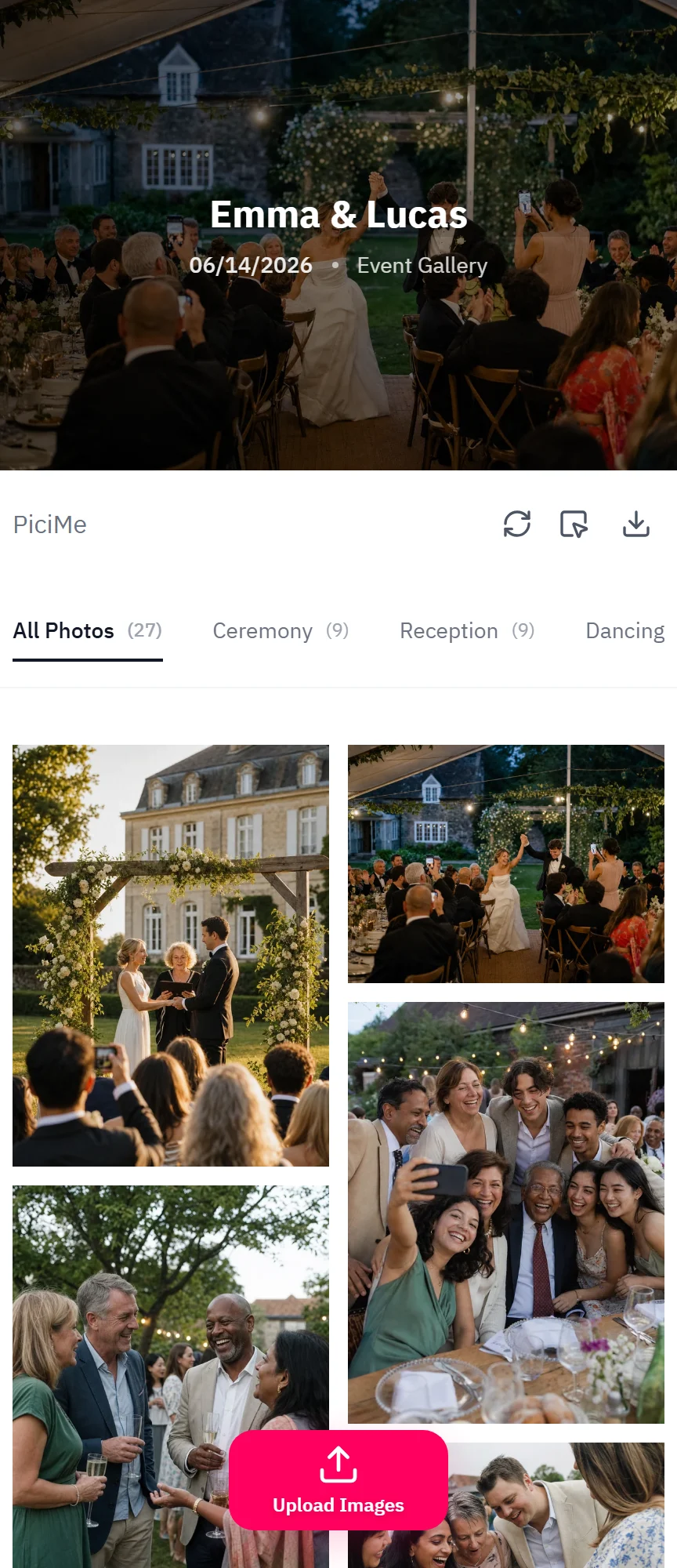
The central gallery
All the guests' photos in one organized place
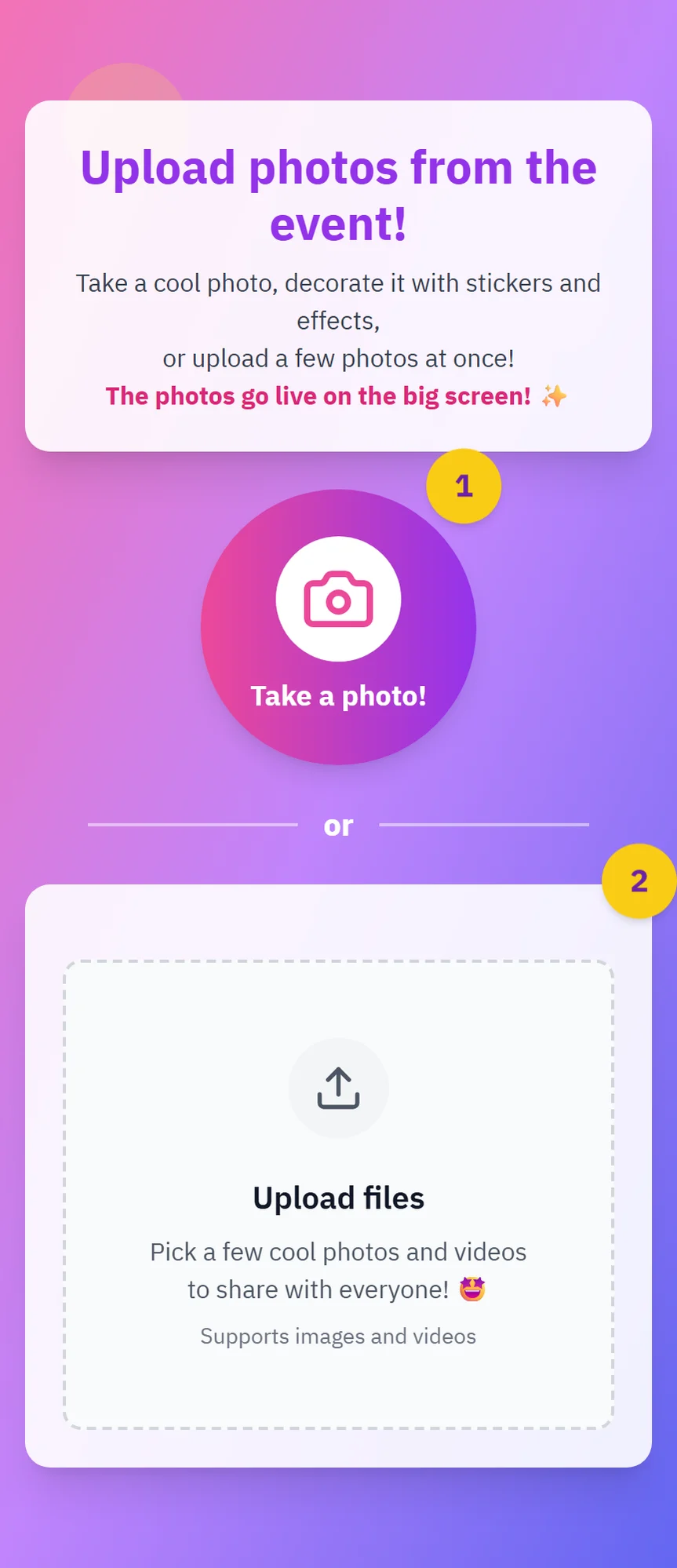
Upload page - colorful design
A dynamic design matched to your event's style
What content can guests upload?
Guests can send anything they captured or saved during the event. Photos, videos and posts from social apps, all at full quality.
Photos from the gallery
Everything guests shot on their phones during the event. The candid moments, the selfies, the group shots and the angles the photographer never had.
Instagram stories and saves
Photos and videos guests saved from their own stories or others', including reels and posts they shared from the event.
Videos and lives
Short videos, saved lives, TikToks and any kind of video filmed during the event - in full quality with no compression.
Special moments
Photos of gifts, decor, small details and intimate moments only close guests managed to capture.
Behind-the-scenes shots
The preparations, the moments before the entrance, the getting-ready room. All the things the photographer was not in position for.
Content from any social network
Photos and videos from Facebook, TikTok and any other app guests used during the event.
Designed QR codes to place around the event
In addition to the WhatsApp messages, you get designed, personalized QR codes to print and place around the event. Guests scan and go straight to the photo upload page - simple and fast, even without WhatsApp.
Share your photos!

Scan the code to upload photos
Emma & Jack's wedding ❤️
Custom design
QR codes designed with your event's name, date and a style that matches your event - ready to print.
Scan straight to the upload page
A single scan leads straight to the photo upload page - no typing addresses, no app download and no signup.
Works on every phone
Works with iPhone, Android and any phone. Just open the camera, scan and upload.
Where to place the QR codes at the event?
On the tables
In the center of each table, so every guest can easily see and scan.
By the bar
A central spot every guest passes during the event.
At the event entrance
The first message guests see as they walk in.
At photo corners
Next to a photo booth, a photo wall or special corners at the event.
The benefits of collecting photos from guests
The solution makes sure you don't miss a moment of the event and get all the photos and videos from every guest - in one organized, secure place.
A full, complete gallery
Every photo and video in one place, from the photographer and from every guest. Nothing left behind on someone's phone.
A fully automatic process
No need to chase guests. The system sends automatic messages and guests upload easily - with no manual work.
Unique angles and moments
Photos from angles the photographer didn't shoot, spontaneous moments and personal photos only close guests could capture.
Saves time and effort
No more chasing guests for weeks. Everything arrives on its own within a few days of the event.
Secure and organized in the cloud
Everything is stored in the cloud in one gallery, backed up automatically, and you can download the lot.
Memories for a lifetime
Relive every moment of the event through your guests' eyes - special memories you wouldn't have had otherwise.
Want each guest to also get only their own photos? Discover the personal album based on face recognition.
Questions about guest photo uploads
More PiciMe features
All of PiciMe's tools work together so you never miss a moment of the event.
Personal album with face recognition
Each guest uploads a selfie and within minutes gets a personal album with only the photos they appear in.
Live slideshow
Guests' photos are projected on the big screen in real time — an interactive experience for the whole event.
Digital gallery
All the event's photos and videos in one gallery — viewing, favorites and batch download.
Don't miss a single photo from your event
Let guests upload their photos easily, and get a perfect gallery with all the special moments. All the photos, from all the guests, in one place - automatic and simple.